
Stop guessing how the team delivers. Measure it.
Engineering Analytics rolls MR flow, DORA metrics, delivery flow and AI impact into one board - the data comes from the Git, Jira and incident sources you already connected, no extra setup.

Screens from a running installation
What is on the board?
Seven reports, one data model. All of them feed off sources you already connected; no separate agent or plugin to install.
MR Insights
Review time, MR size, merge velocity and bottlenecks - broken down by team and project.
DORA
The four key metrics, measured from your deploy and incident sources; an incident within an hour of a deploy counts against it.
AI Impact
What the AI key was spent on, per person and per model, next to how the score, fix share and merge time moved over the same weeks.
Delivery flow
Work-item flow read from Jira's lifecycle: wait times, backflows and seven ready-made alarms.
Findings funnel
Every module's findings in one funnel from opened to resolved: what piles up, what gets fixed, what gets ignored.
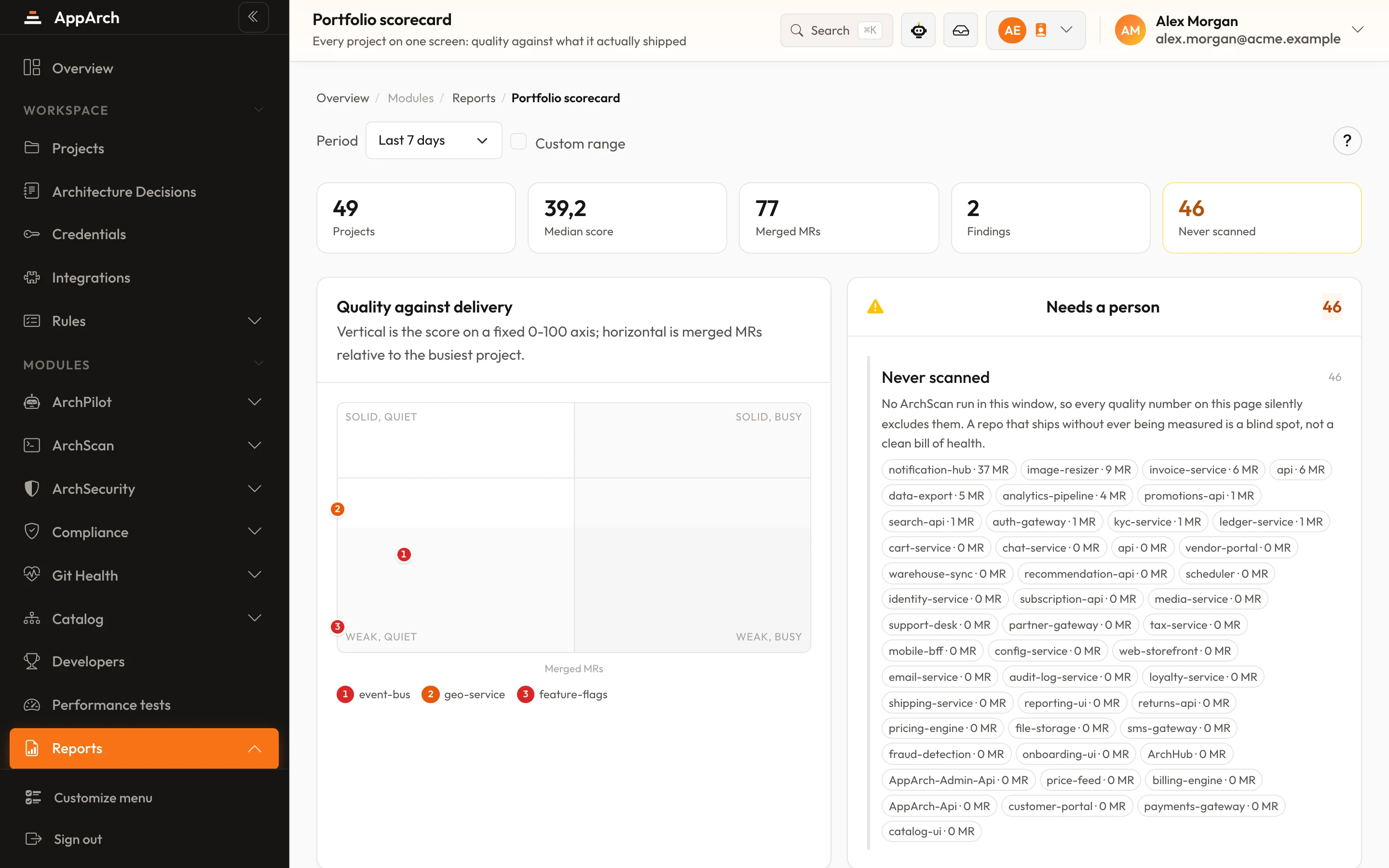
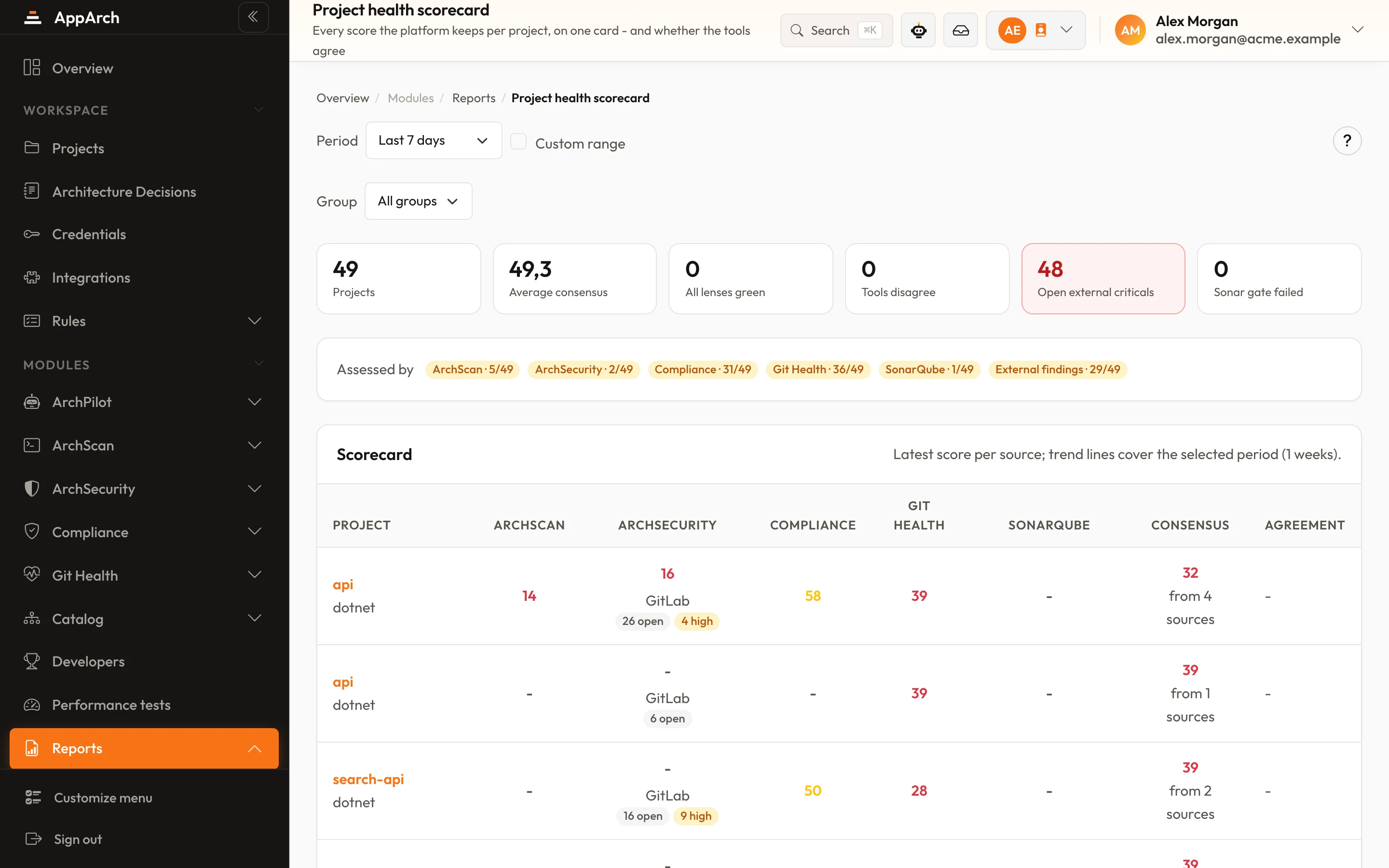
Portfolio
Every project in one table: score, open findings, trend. The screen a lead opens on Monday morning.
Developers
Git members and MR authors sync automatically; profile, contribution and an ArchPilot-based score. Opt-in per project.
DORA, not the marketing version
All four metrics are measured from real sources - no surveys, no estimates, no hand-typed numbers.
Deploy frequency
Counted from your deployment records (Argo CD / Kubernetes).
Lead time for changes
From MR opened to deployed, split into waiting for review, review and waiting to ship.
Change failure rate
Fills in once your incident source (Dynatrace / New Relic) is connected.
Mean time to recovery
From incident open to close, attributed by time correlation.
The honest-reporting rule
If there is no data to feed a metric, that metric shows empty - it is never padded with an invented average or an industry guess. Every number you take to management has a real record behind it.
The thresholds behind every alarm
Merge request data is synced every 15 minutes on all four Git providers. An alarm turns amber, then red, at fixed and visible thresholds.
| Alarm | Warning | Critical |
|---|---|---|
| Large MRs (over 400 lines) | 20% share | 40% share |
| Self-merged | 20% share | 40% share |
| Merged without approval | - share | 30% share |
| Merged without review | 25% share | 50% share |
| Time to first review | 24 h | 72 h |
| Time to merge | 72 h | 168 h |
| Open longer than 14 days | listed | |
Risky merges, scored
Each reason adds points; a merge is listed at 4 or more, and the ten riskiest are shown.
- Over 400 lines+2
- Over 1000 lines+3
- Self-merged+3
- No approval+2
- No review+2
- Critical finding+3
- Error finding+1
How DORA bands are drawn
Lead time is cut into three waits so you can see which one grows. It shows a number only once at least five changes in the window have been measured.
| Elite | High | Medium | Low | |
|---|---|---|---|---|
| Deploys per week | ≥ 7 | ≥ 1 | ≥ 0.23 | < 0.23 |
| Lead time | < 24 h | < 168 h | < 730 h | ≥ 730 h |
Change failure rate and time to restore count an incident against a deploy when it opens within an hour of it on the same service; restore time uses resolved incidents only. Incidents are read live and never stored; an unreachable source shows as unreachable, never as zero incidents.
Whose question does this board answer?
Three meetings, three concrete moments.
Why did review climb to three days?
MR Insights shows in which week, in which project, at which MR size the waiting started. The conversation moves from feelings to data.
Is the AI investment paying off?
AI Impact shows what the installation's AI key was spent on - suggestions, assistant answers, tokens, per person and per model - next to how the score, the share of fix MRs and merge time moved over the same weeks. The answer is a table, not a slogan.
Four DORA metrics, one slide
DF, LT, CFR and MTTR come from real deploy and incident records; every number drills down to its source. When an auditor asks, the answer is already there.
Frequently asked
Where does the data come from - do I install an agent?
Is this a developer surveillance tool?
Why do CFR and MTTR show empty?
What does AI Impact actually measure?
Which plans include it, and does history backfill?
See it in the product
All screenshots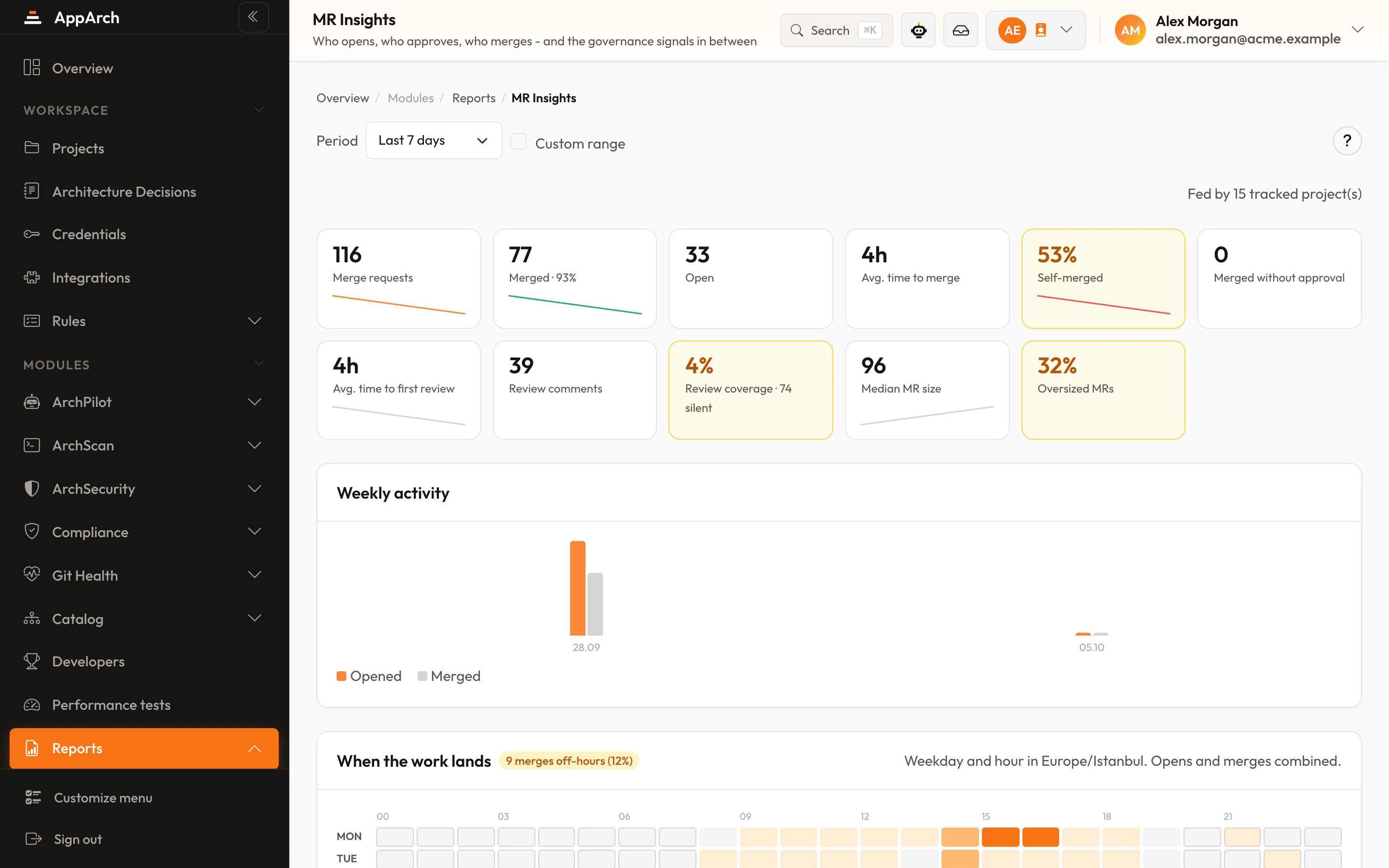
See the board with your own data
Connect your Git; the first sync brings your history in and the board starts talking on day one.