
Turn one scan into four compliance frameworks.
ArchSecurity runs CWE-tagged static analysis over your source and maps findings to the OWASP, PCI, STIG and CASA frameworks.

Screens from a running installation
One scan, four reports
CWE-tagged findings map to the leading security frameworks.
Top 10 web risks.
Card-data compliance.
Hardening guides.
App security assessment.
A CWE spine
Every finding is tagged with a CWE id; the framework reports derive from that single source.
- 01Scan
Source code
Static analysis in CI.
- 02CWE
Tagged finding
CWE-89, CWE-79, …
- 03Catalog
Framework mapping
CWE → OWASP/PCI/STIG/CASA
- 04Output
Compliance report
Ranked by severity.
Three sources, one list
Every finding keeps a label saying where it came from. They are listed together but never merged, and every framework report reads from the same list.
- SAST
AppArch rules in your CI
Static analysis on the source, each finding tagged with a CWE, with the file, line and a code snippet.
- CVE · GHSA
Known vulnerable packages
The packages ArchScan found are matched on your server against a CVE and GHSA advisory list that ships with each release; operators can import more. Matches are tagged CWE-1104.
- GitLab · SonarQube
GitLab and SonarQube
Findings from GitLab's vulnerability report and from SonarQube are synced every four hours. One that disappears at the source is marked resolved, never deleted.
An optional online check against OSV can fill gaps; it is off by default and sends only the registry, package name and version.
How a framework report is scored
Each control is flagged, clean or unassessed. A control is unassessed when no rule for your language looks for any of its CWEs; it leaves the denominator instead of passing for free.
100 × (1 − 2.1 / 8) = 74 8 assessed controls
Penalty by the control's worst open finding- Critical1.0
- Error0.7
- Warning0.4
- Info0.15
- A ≥ 90
- B ≥ 80
- C ≥ 70
- D ≥ 60
- F
A finding whose CWE maps to no control is counted as unmapped and shown, never quietly dropped.
A closer look
A single SAST scan - standardised, auditable output.
CWE-tagged findings
Every finding carries a CWE id; all framework reports derive from this single spine.
Framework mapping
One scan turns into OWASP Top 10, PCI-DSS, STIG and CASA reports at once.
Prioritisation
Findings are ranked by severity - criticals on top, noise at the bottom.
Maintained catalog
The CWE→framework mapping is driven by a maintained catalog; reports improve as new rules land.
Deep static analysis
Scans source for injection, leakage and weak spots without running the code.
Runs in your own CI
The scan runs on your infrastructure; your source never leaves it.
Closing a finding is a decision on record
Only a workspace admin can close one, with a reason and a note. Ticking 'apply to future runs' keeps the same finding closed in later scans; reopening undoes it and keeps the history.
Same rule, same file, same message: the same finding, scan after scan.
See it in the product
All screenshots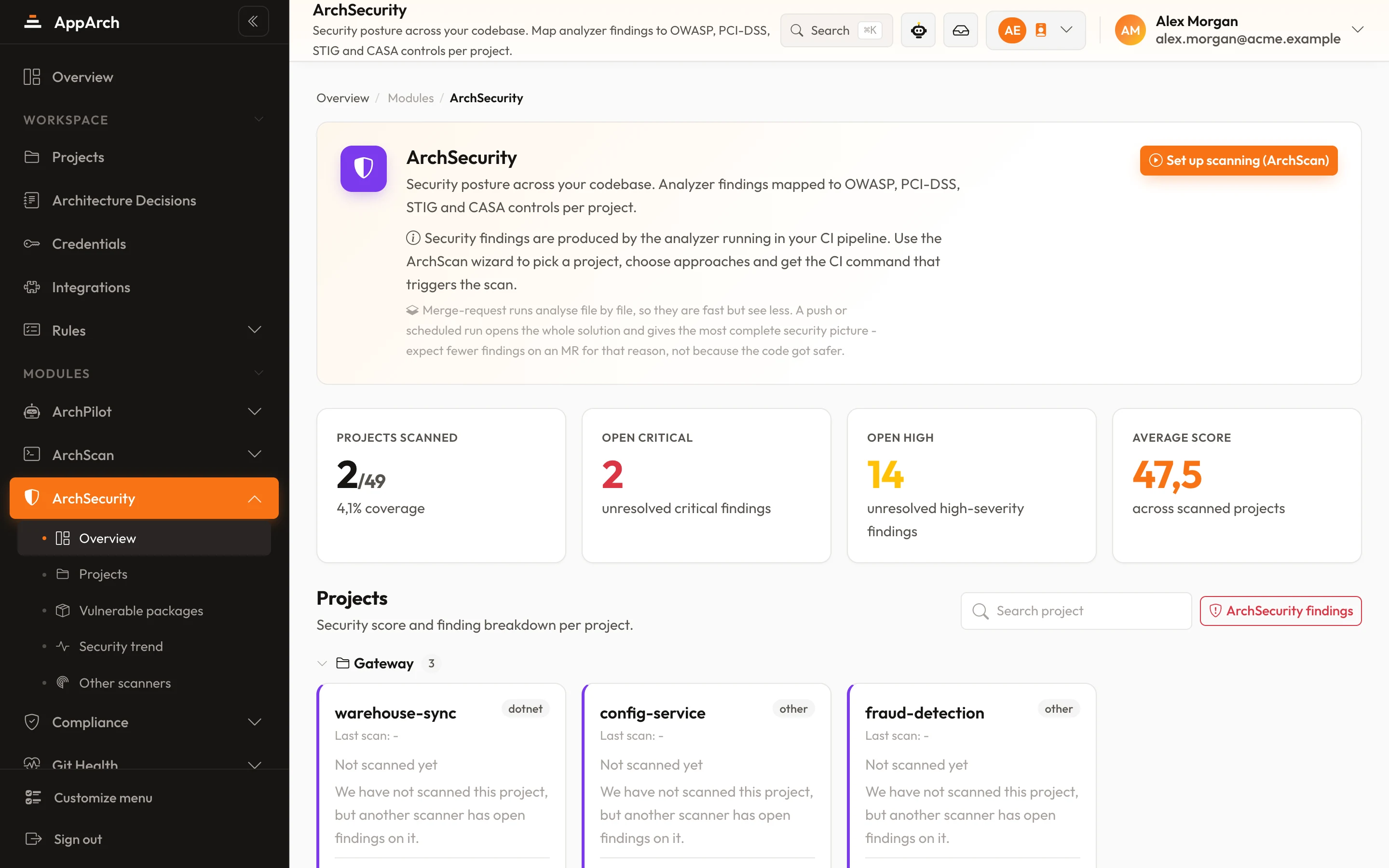
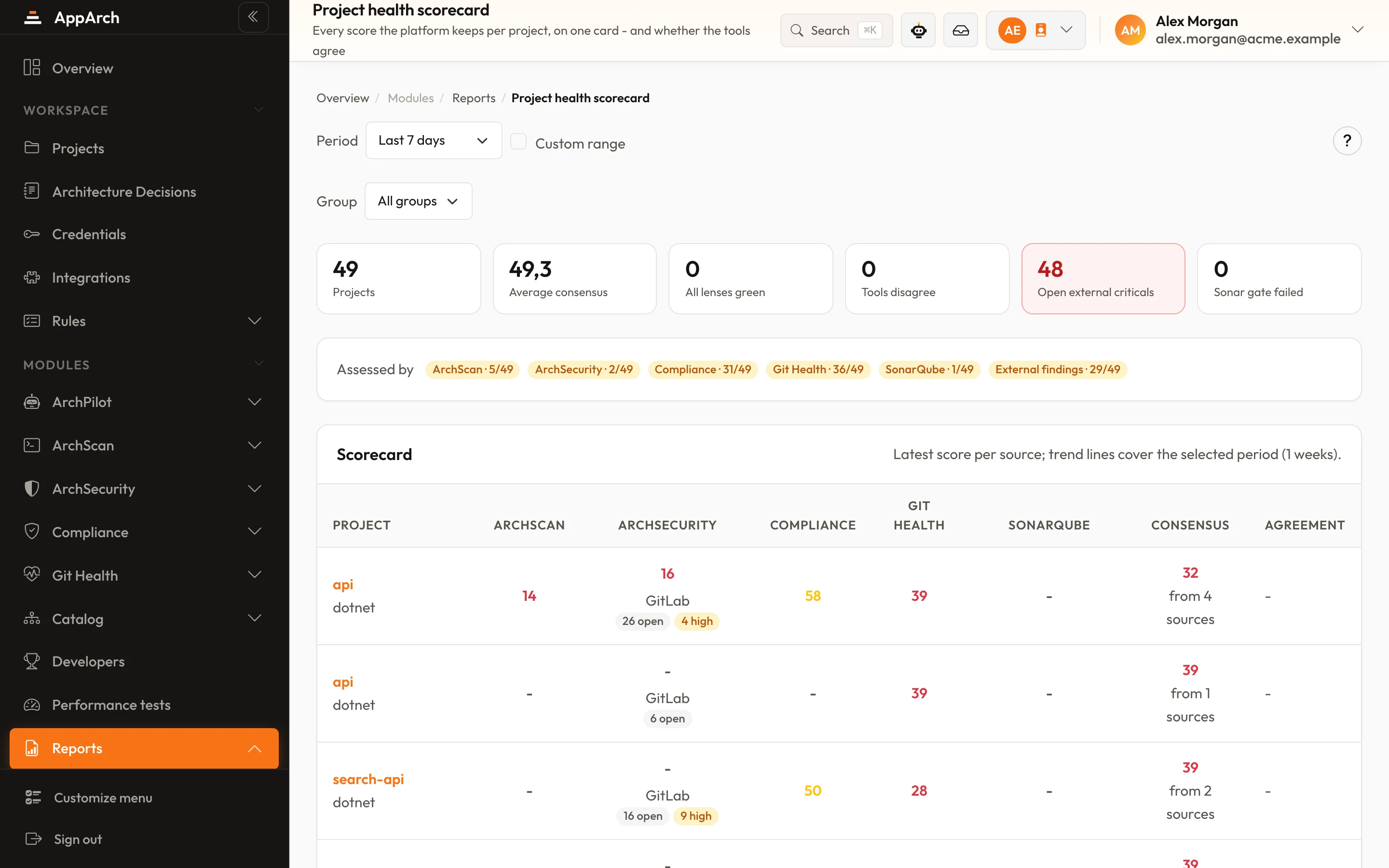
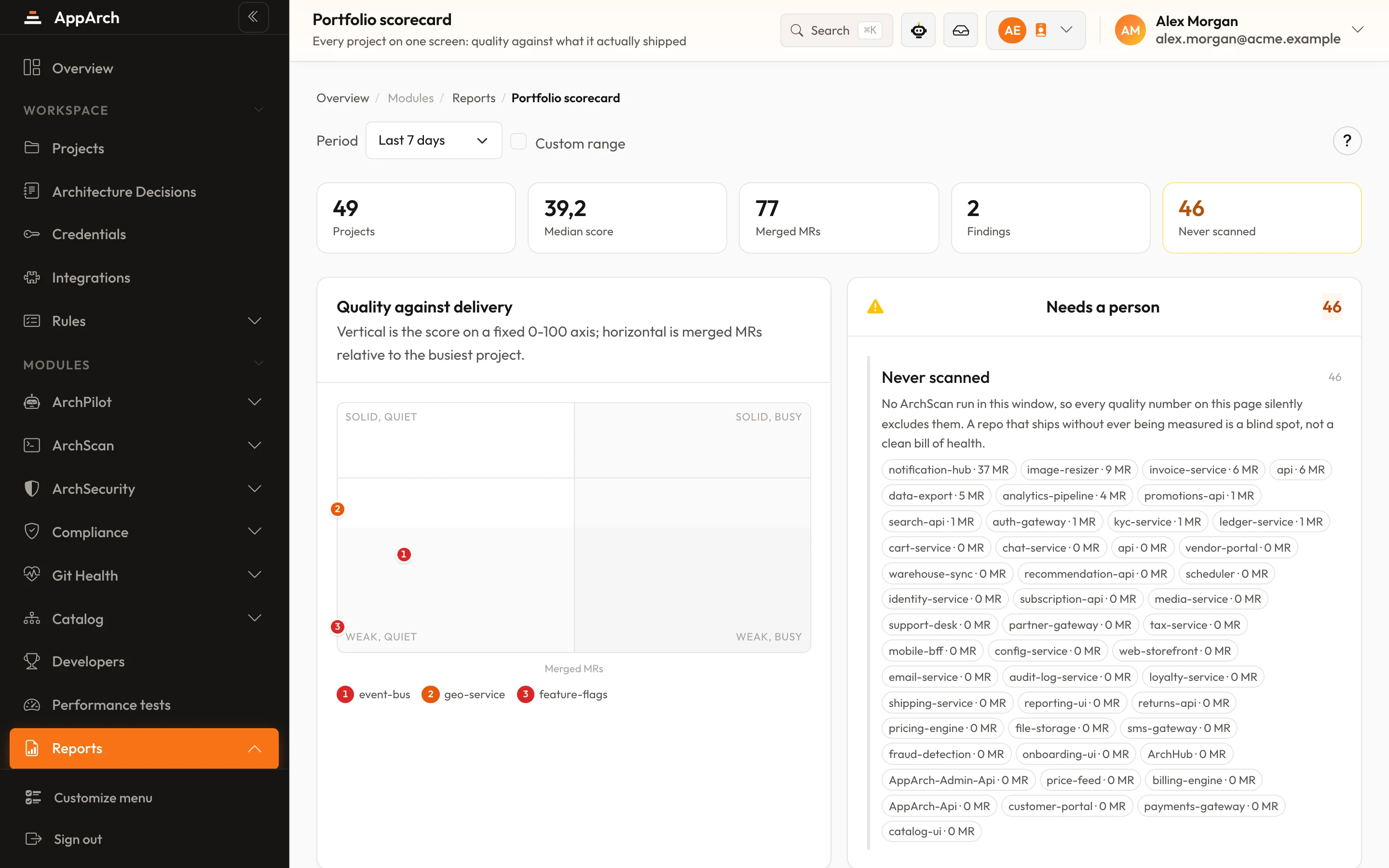
Catch vulnerabilities before they ship
The scan runs in your own CI pipeline; code never leaves your infrastructure.