
9 rules
Documentation
README present and at least 500 characters, a recognised LICENSE (for public repositories), CHANGELOG, CONTRIBUTING, a design section in architecture.md.
Compliance checks every repository against a 36-rule checklist: documentation, repository hygiene, security, CI and integration. Each scan produces a weighted score and a result list you can hand to an auditor.

Screens from a running installation
Compliance looks at what a repository carries and how it is set up, not at the code's logic. Each rule is a yes-or-no question with a severity.
README present and at least 500 characters, a recognised LICENSE (for public repositories), CHANGELOG, CONTRIBUTING, a design section in architecture.md.
.gitignore and .editorconfig, a description and topics, a main or master default branch, not archived; for backends a multi-stage Dockerfile and a local docker-compose.
A security policy, automated dependency updates, an .env.example, containers that run as a non-root user, base images from allowed registries, NuGet only from allowed feeds.
A CI workflow exists and runs the tests, a build badge in the README, a lint script for frontends, Fastlane for mobile apps.
The project's Git credential is healthy, ArchPilot has reviewed a merge request recently, the workspace has a notification channel.
A frontend has no Dockerfile to check and a mobile app has no robots.txt. You pick each project's stacks; universal and integration rules always apply.
Each rule result is passed, failed, skipped or error. Only passed and failed count, weighted by severity; a rule that could not be answered leaves the denominator instead of dragging the score down.
Why it works this way: a dropped VPN once made every project read 6/100. An unreachable Git server says nothing about the repository, so it no longer counts.
By hand, or by a daily or weekly schedule for a project group or a list of projects.
A worker picks it up within seconds; the scan records who or what triggered it.
Files, repository settings and branch protection are read from the Git provider; nothing is cloned.
The score joins the project's history and health card, and the digest e-mail if you subscribe.
Rules switch on or off at three levels: the installation default, the workspace and the project. The narrowest setting wins.
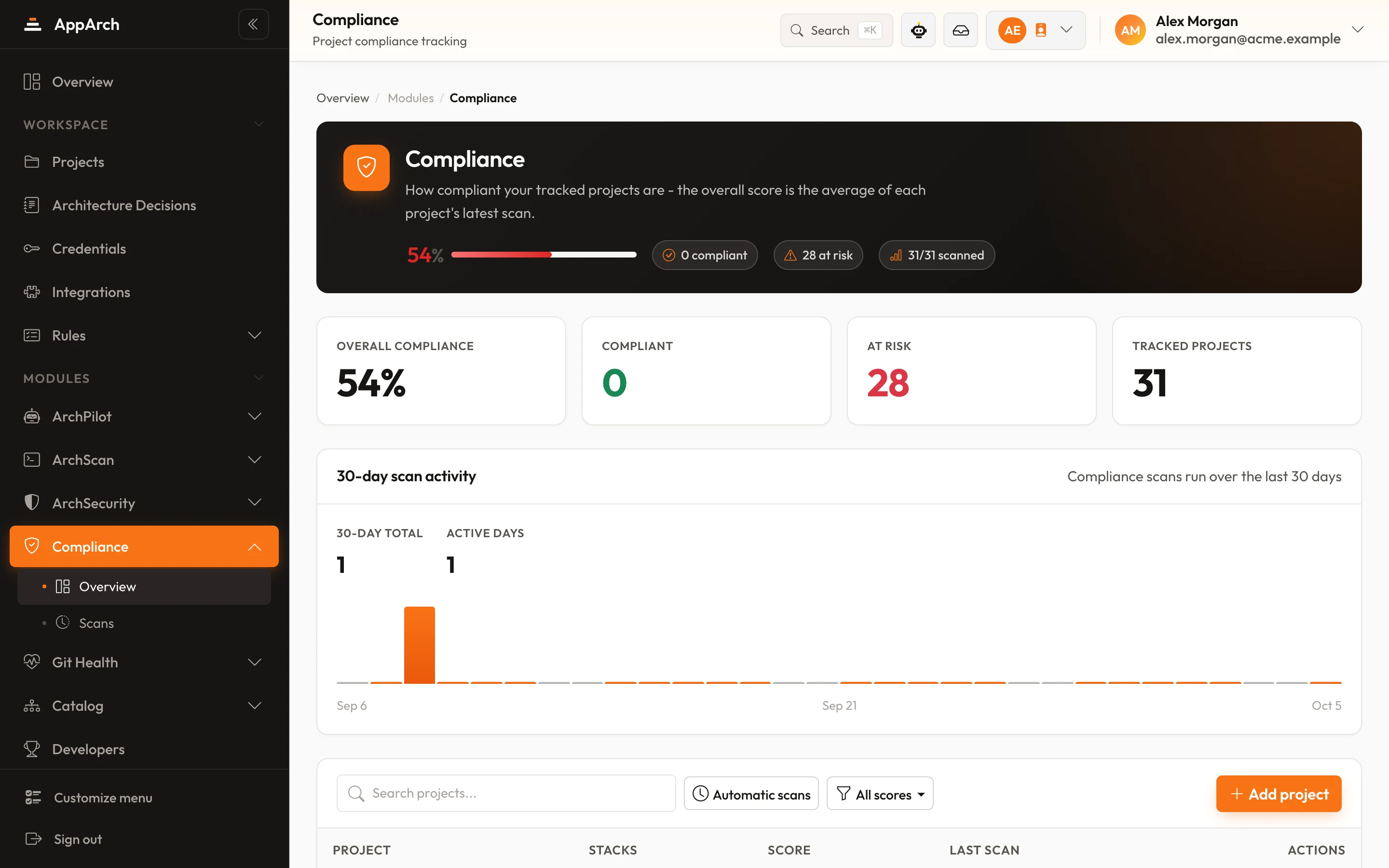
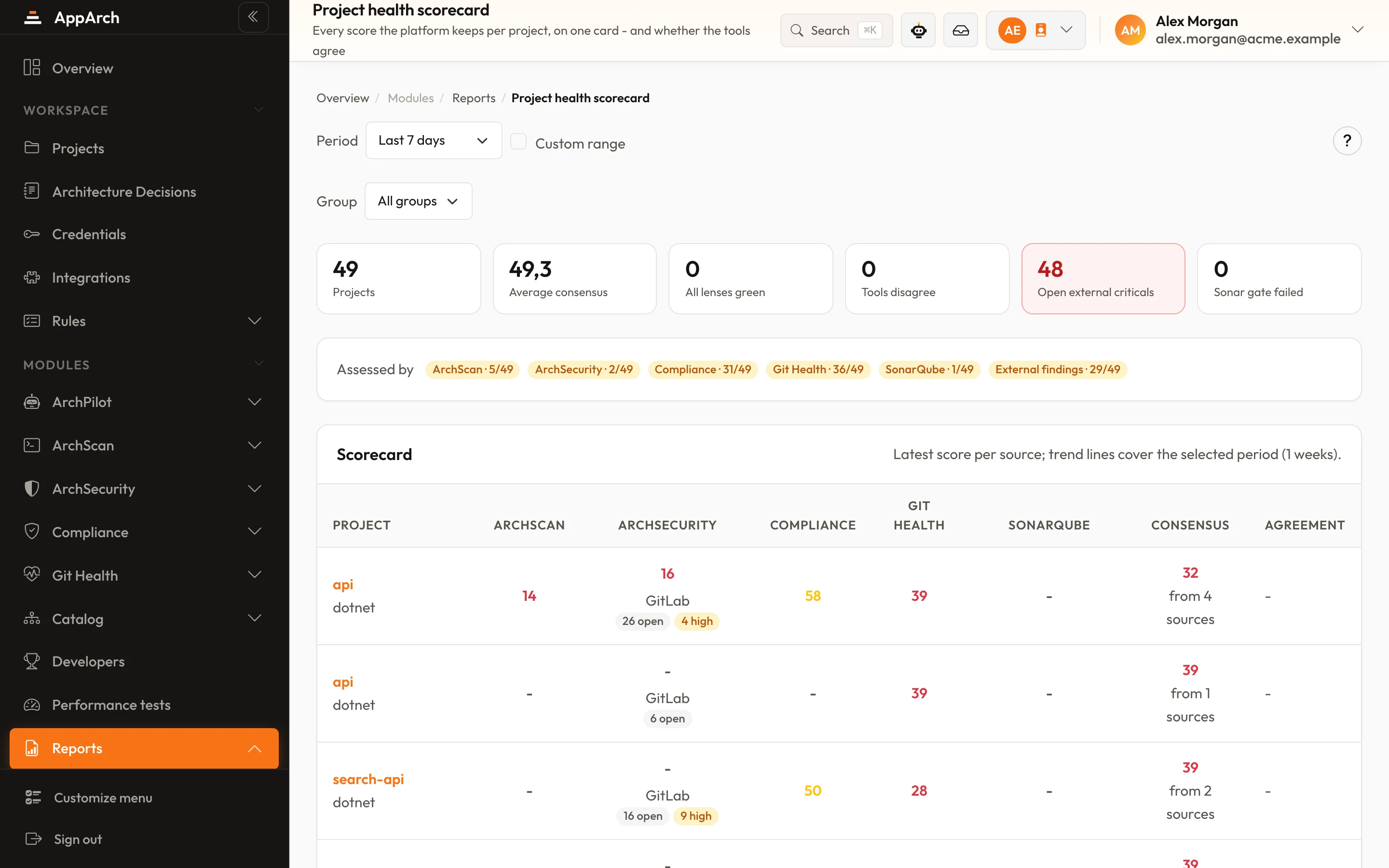
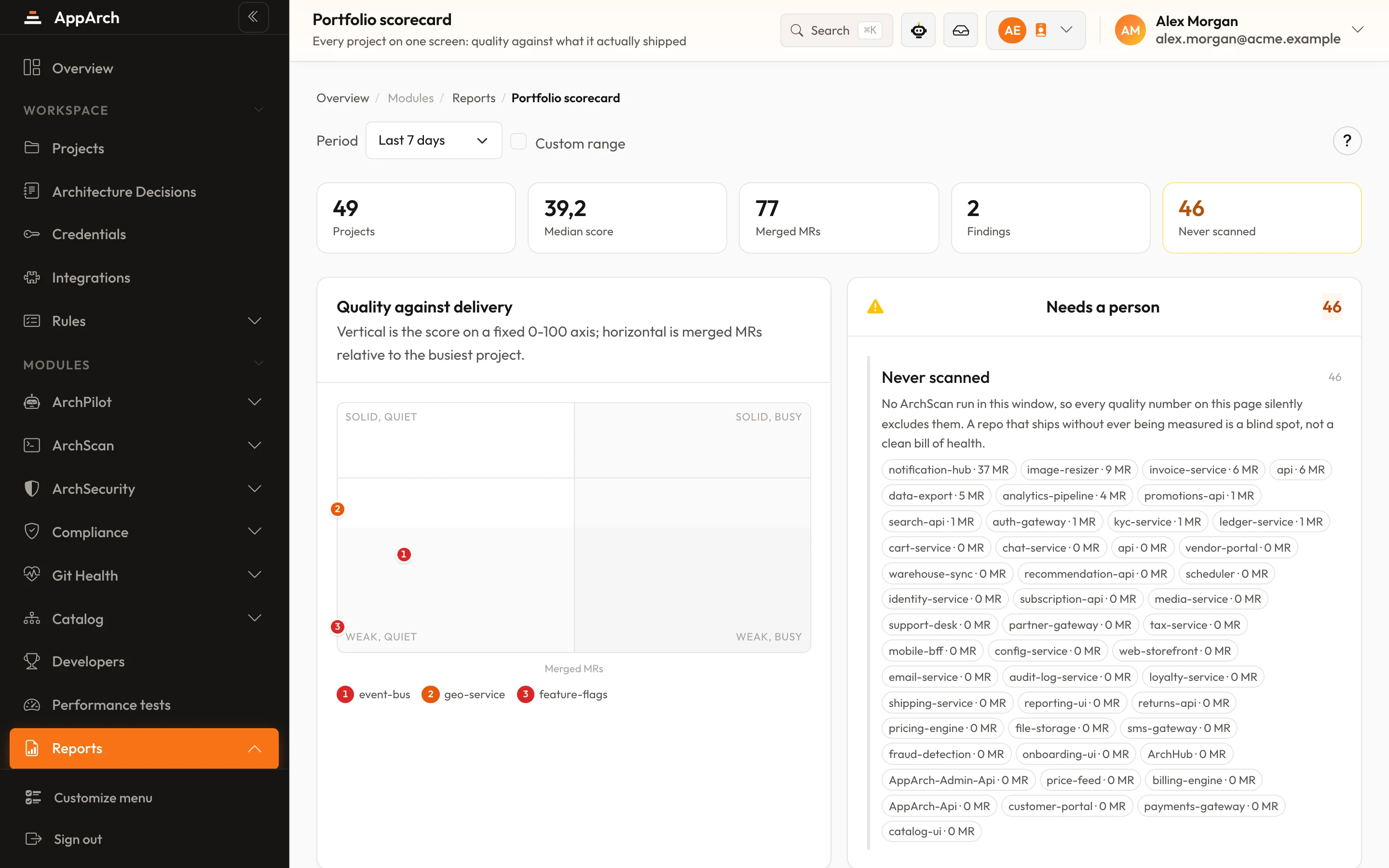
Choose each project's stack, switch the rules you want on, schedule the scans; the score stays current without anyone remembering to run it.
New modules, release notes and writing on architecture. Leave with one click whenever you like.